Game catalog guide
Dragon Fury Games: Categories & Catalog Guide
- Published
- Last Updated
- Last Verified
Quick answer
The operator lists Dragon Fury games under Slots, Fishing and a filter labeled Poker. Examples include Bonus Bears, Kirin Storm, 21 Blackjack and Keno. All Games combines the categories. These public listings help you find a title; the current game screen and your account status determine whether you can access it.
Find Dragon Fury games in Games Included on the DragonFury.online homepage. You can browse before signing in, choose a category and expand the preview with View All. Use the examples below to identify a game, then check the current account and game-access instructions when you want to open the platform.
What games are listed on Dragon Fury?
The operator assigns each catalog entry to a displayed category. Use All Games for the combined list or choose a category to narrow your search.
If you are looking for a Dragon Fury casino game, start with its complete title and the matching category. The platform name alone does not identify which game you want.
| Displayed filter | Listed examples | How to read the category |
|---|---|---|
| Slots | Bonus Bears; Funky Monkey | Use the slots directory for the complete list of titles. |
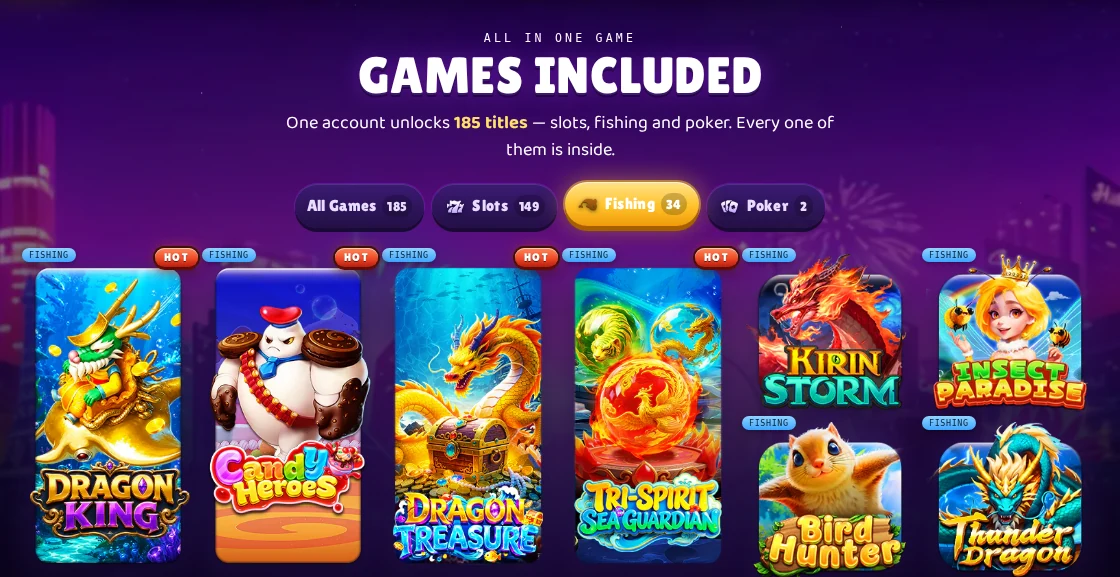
| Fishing | Kirin Storm; Insect Paradise; Bird Hunter; Thunder Dragon | Use this filter to browse the operator's Fishing category. |
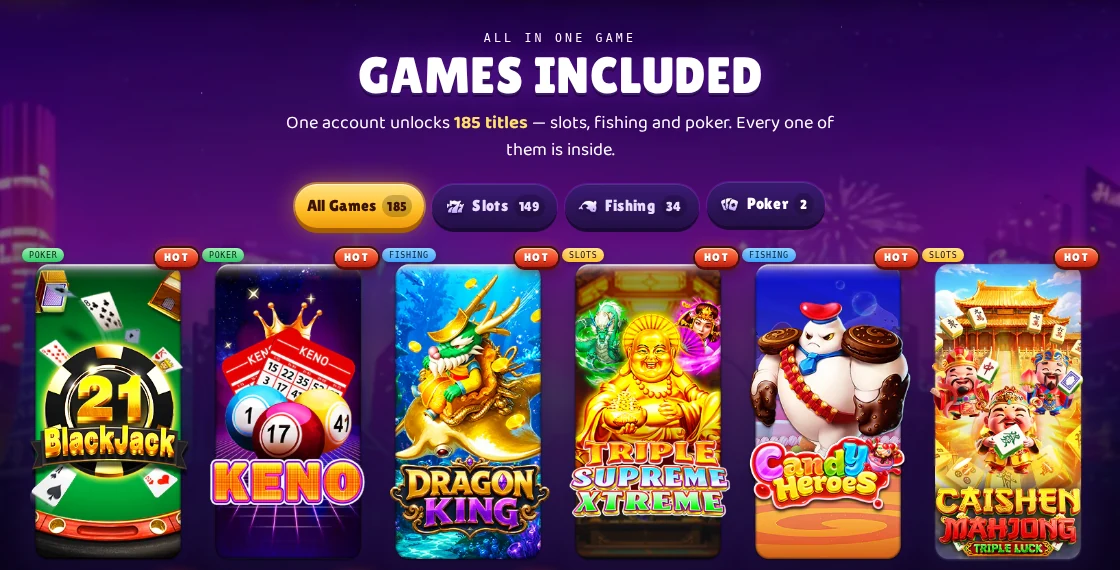
| Poker | 21 Blackjack; Keno | These two titles appear under the Poker label; neither is a conventional poker game. |
Find a slot by its complete title
Use the dedicated Dragon Fury slots directory for the full operator-listed selection. For 777 Halloween and Christmas 777, the 777 guide explains the two game names and the platform branding.
Browse the Dragon Fury slots directory Dragon Fury 777: games, slots and platform guide
Dragon Fury fishing games
Choose Fishing to find entries such as Kirin Storm, Insect Paradise, Bird Hunter and Thunder Dragon. Use View All to see entries beyond the first preview. The operator groups these names under Fishing, including titles whose names refer to birds or insects.
Read the selected game's instructions for its controls and rules. A shared category does not tell you whether two titles work the same way.
What does the Poker filter contain?
The operator places 21 Blackjack and Keno under the Poker filter. Blackjack and Keno have their own game identities; neither is a conventional poker game. Use this filter to locate those exact entries.
The category label alone does not establish poker rooms, tournaments or poker variants. Check the current game information for the title you select.

How to browse the catalog
The public browser shows a preview of each category. Switching categories resets that preview, so use View All again if you need to inspect the rest of the new category.
- Open the DragonFury.online homepage and find Games Included.
- Choose All Games, Slots, Fishing or Poker.
- Use View All when it appears to expand the remaining entries in that category.
- Note the full title and follow the current account and game-access instructions to check whether you can open it.
Open Games Included on DragonFury.online What happens when you open a game from your account
Does a catalog listing mean I can play now?
A listing records a title the operator advertises. It does not confirm current availability for your account. Check the game screen and current account instructions for access, and the game's own information for its rules and features.
If a listed game is missing or will not open, give support the platform name, complete game title and the message you see. That lets support check the specific access problem.
Dragon Fury games and Try Other Games are different lists
Games Included contains individual Dragon Fury titles. Try Other Games lists separate platforms, including Juwa, Game Vault and Fire Kirin. If you want a game on one of those platforms, use that platform's current catalog and access instructions.
Where do I access Dragon Fury?
DragonFury.online is the player website for your account, wallet, Store, Bonus, Redeem and support. Start there to find the game account and its issued credentials. Dragonfury.club is the separate Dragon Fury game destination; your website sign-in and game login serve different steps.
If you recognize the earlier VBlink name, the migration guide explains the published platform-name change. Check current account details for your own access.
Sign in to your DragonFury.online player account DragonFury.club and DragonFury.online access guide VBlink to Dragon Fury platform update
Sources and review limits
The editorial team checked the operator's catalog, the Games Included category controls and account guides on September 18, 2026. This review covers public listings and navigation; it does not test authenticated gameplay, provider specifications, payout statistics or game rules.
- Catalog facts describe the reviewed list, not guaranteed live availability.
- The Poker label is reproduced as a site navigation label; Blackjack and Keno are not reclassified as poker games.
Frequently asked questions
Can I browse Dragon Fury games before signing in?
Yes. The public homepage has a Games Included catalog with filters and a View All control. Browsing a listing is separate from creating a game login or playing.
Are Juwa and Game Vault titles inside Dragon Fury?
They are listed as separate platforms in Try Other Games. Keep that platform list separate from the individual titles in the Dragon Fury catalog.
Where is the complete Dragon Fury slots list?
Use the dedicated slots directory, or choose Slots in Games Included on the homepage and expand View All. This games guide covers the categories across the catalog.
Does a listed game have guaranteed availability?
No. The operator's public catalog identifies listed titles. Check the current game screen and account information to confirm your access.